Analyzing CVE-2026-63030 and CVE-2026-60137
When WordPress quietly pushed emergency security updates on July 17, 2026, it wasn’t addressing just another isolated vulnerability. Instead, the patches closed two separate flaws that, when chained together, created something far more serious than either issue on its own.
Researchers quickly began referring to the attack chain as wp2shell a combination of a REST API authorization flaw (CVE-2026-63030) and a SQL injection vulnerability in WP_Query (CVE-2026-60137). Individually, both bugs had limitations. Combined, they opened a path that could allow an unauthenticated attacker to move from a simple HTTP request to full administrative compromise and, ultimately, remote code execution.
Unlike the majority of high-profile WordPress incidents in recent years, this one doesn’t rely on a vulnerable plugin or theme. The weaknesses exist in WordPress Core itself, meaning any affected installation is exposed regardless of which plugins are installed.
For administrators, the message is simple: update immediately. For defenders and security teams, however, this incident is also a good example of why vulnerabilities should rarely be evaluated in isolation.
The exploit chain is built around two independent CVEs that affect different parts of WordPress. Neither is especially remarkable on its own, but together they create an attack path that dramatically changes the overall risk.
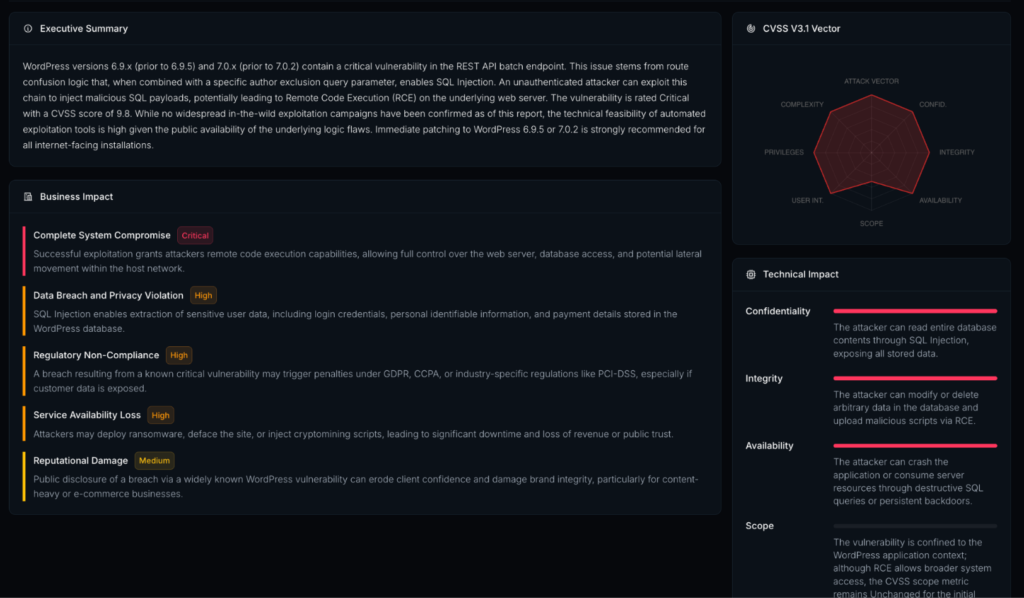
The first issue exists in WordPress’ REST API batching functionality, specifically within WP_REST_Server::serve_batch_request_v1().
Batch requests allow multiple API calls to be bundled into a single HTTP request. Under normal conditions, every request inside that batch should undergo its own permission check before WordPress processes it.
The vulnerability stems from the way those permission checks are handled during batch execution. In certain situations, requests that should require authentication can be processed without properly validating the caller’s privileges.
That doesn’t immediately result in code execution, but it removes one of the most important security boundaries inside WordPress: authentication.
Affected versions
Fixed in
The second vulnerability resides inside WP_Query, one of the most frequently used components in WordPress.
The issue affects handling of the author__not_in query parameter, allowing attackers to influence SQL queries in ways the application wasn’t designed to handle.
Originally, the vulnerability received considerably less attention because the vulnerable code path was only accessible to authenticated users. As long as attackers couldn’t reach that endpoint without logging in, the practical impact remained relatively limited.
That assumption disappears once CVE-2026-63030 enters the picture.
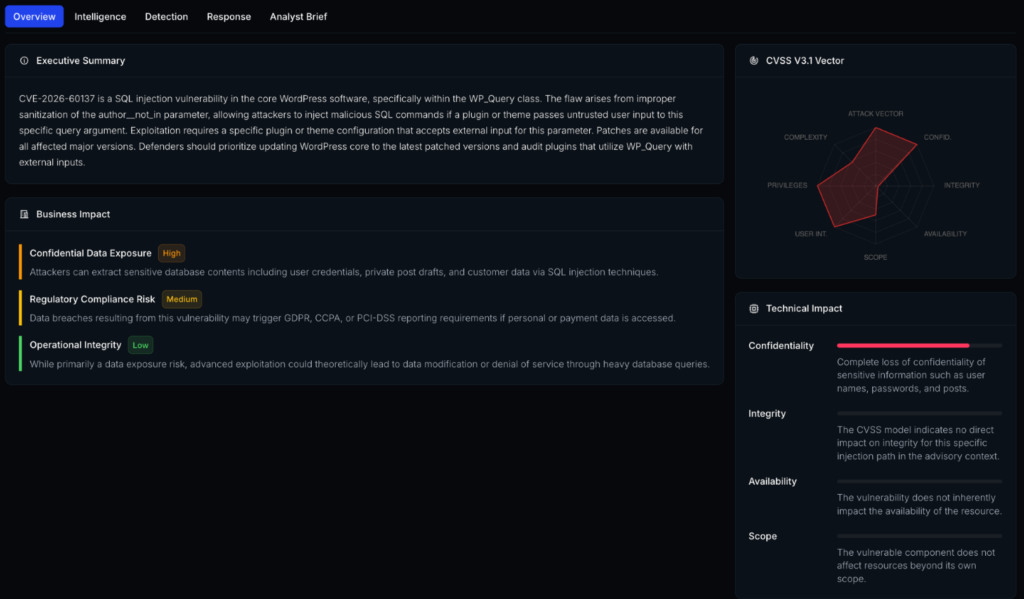
By bypassing the authentication requirement first, the SQL injection effectively becomes reachable from the public Internet without valid credentials.
Affected versions
Fixed in
It’s worth noting that sites running the 6.8 branch aren’t affected by the complete exploit chain because they don’t include the vulnerable REST batch implementation. They are, however, still exposed to the SQL injection itself until upgraded to version 6.8.6.
Security advisories often describe vulnerabilities individually, but attackers rarely think that way.
From an attacker’s perspective, the question isn’t whether a vulnerability is “critical” by itself. It’s whether it removes an obstacle that exposes something else.
That’s exactly what happens here.
The REST API bug doesn’t execute code.
The SQL injection doesn’t bypass authentication.
Together, they eliminate each other’s limitations.
Once authentication is no longer required, the SQL injection becomes publicly reachable. At that point, the attack shifts from an authenticated application flaw to a pre-authentication compromise path capable of exposing sensitive database contents.
This change in attack surface is what makes wp2shell significantly more dangerous than either CVE suggests on its own.
Although the headlines focus on remote code execution, reaching that point involves several distinct stages rather than a single exploit.
The attack begins by sending a crafted REST API batch request that abuses the authorization logic introduced by CVE-2026-63030.
Instead of rejecting requests that require authentication, WordPress mistakenly processes them as though the caller already has sufficient privileges.
From the attacker’s perspective, this effectively removes the login requirement protecting the vulnerable query.
With authentication no longer acting as a barrier, the attacker can trigger the SQL injection through the vulnerable author__not_in parameter.
Depending on the target environment, this may allow extraction of arbitrary database records, including user information, password hashes, configuration values, API keys, and other sensitive application data.
The exact impact naturally depends on database permissions and server configuration, but unauthorized data disclosure alone already represents a serious compromise.
Dumping the database isn’t usually the final objective.
Instead, attackers focus on obtaining administrator credentials or password hashes that can be cracked offline or otherwise leveraged to authenticate legitimately.
Once administrative access is obtained, WordPress itself provides numerous built-in mechanisms that can be abused to execute arbitrary PHP code.
At this stage, the attacker no longer needs another vulnerability.
Remote code execution is simply the final consequence of administrative compromise.
Uploading a malicious plugin, modifying a theme, or placing a web shell through existing administrative functionality are all well-established post-exploitation techniques.
In other words, the exploit chain doesn’t require an exotic payload after the SQL injection succeeds. It simply leverages functionality already present inside WordPress once administrative privileges have been obtained.
One of the reasons wp2shell attracted so much attention wasn’t just the individual vulnerabilities it was the fact that they affected WordPress Core. Unlike plugin vulnerabilities, which typically impact a subset of installations, Core issues have the potential to reach millions of sites running the same codebase.
If successfully exploited, the consequences depend on the attacker’s objective. Some campaigns focus on stealing data, while others aim to establish persistence for future access. Either way, the impact extends well beyond the initial vulnerability.
For organizations running public-facing WordPress sites, the primary concerns include:
The technical details behind the exploit chain are important, but from a defender’s perspective the business outcome is what matters most: once an attacker gains administrative control, the distinction between a WordPress compromise and a server compromise can become very small depending on how the environment is configured.
Critical WordPress vulnerabilities aren’t uncommon, but this one differs from the typical pattern seen over the last several years.
First, the affected code lives in WordPress Core rather than in a third-party extension. That immediately broadens the potential attack surface.
Second, the exploit chain doesn’t rely on convincing an administrator to click a malicious link, install a plugin, or perform any action. The attack begins with a normal HTTP request.
Finally, the vulnerabilities demonstrate how seemingly moderate issues can become significantly more dangerous when combined. Neither CVE tells the entire story on its own. The real risk appears when the two are viewed as a single attack path rather than isolated findings.
For defenders, that’s an important reminder that vulnerability management shouldn’t focus exclusively on individual CVSS scores. Understanding how weaknesses interact is often just as important as understanding the weaknesses themselves.
Branch | Affected Versions | Fixed Version |
6.8.x | 6.8.0 – 6.8.5* | 6.8.6 |
6.9.x | 6.9.0 – 6.9.4 | 6.9.5 |
7.0.x | 7.0.0 – 7.0.1 | 7.0.2 |
Sites on the 6.8 branch require the security update even though the complete exploit chain differs from newer releases.
Updating WordPress should always be the first priority, but patching alone doesn’t answer an equally important question:
Was the site already compromised before the update was installed?
If a vulnerable installation was publicly accessible, it’s worth performing a quick review for signs of unauthorized activity.
Areas worth checking include:
None of these indicators confirm exploitation on their own, but they can help identify systems that deserve a closer investigation.
If there is any indication that an attacker obtained administrative access, rotating credentials, invalidating active sessions, and reviewing authentication logs should be considered part of the response process.
For most administrators, the recommended course of action is straightforward.
Install the latest security release for the branch you’re running. If possible, move to the newest supported version rather than remaining on an older maintenance branch.
Don’t assume automatic updates completed successfully. Confirm the installed version directly through the dashboard or command line.
Audit administrator users and remove anything that wasn’t intentionally created.
If there’s reason to believe the site may have been exposed before patching, reset administrator passwords and invalidate existing sessions.
Web server, authentication, and application logs may provide valuable evidence of suspicious activity around the disclosure window.
Even after patching, monitor for unexpected file changes, new administrator accounts, and unusual outbound connections that could indicate persistence.
The most interesting aspect of wp2shell isn’t that it involves a SQL injection or an authorization flaw. WordPress and virtually every large software project has fixed bugs like these before.
What’s noteworthy is how two vulnerabilities with very different security implications combined into something far more severe than either one appeared in isolation.
From a defensive perspective, incidents like this reinforce an important lesson: vulnerabilities don’t exist in a vacuum. An issue that seems relatively minor today may become critical tomorrow when another flaw removes its built-in safeguards.
For security teams, that means patch prioritization should consider exploit chains and attack paths not just individual CVSS scores.
For WordPress administrators, the takeaway is much simpler.
If your site is running a vulnerable release, update it. Then spend a few extra minutes confirming the update succeeded and reviewing the environment for anything unusual. Those checks are often the difference between preventing an incident and discovering one weeks later.
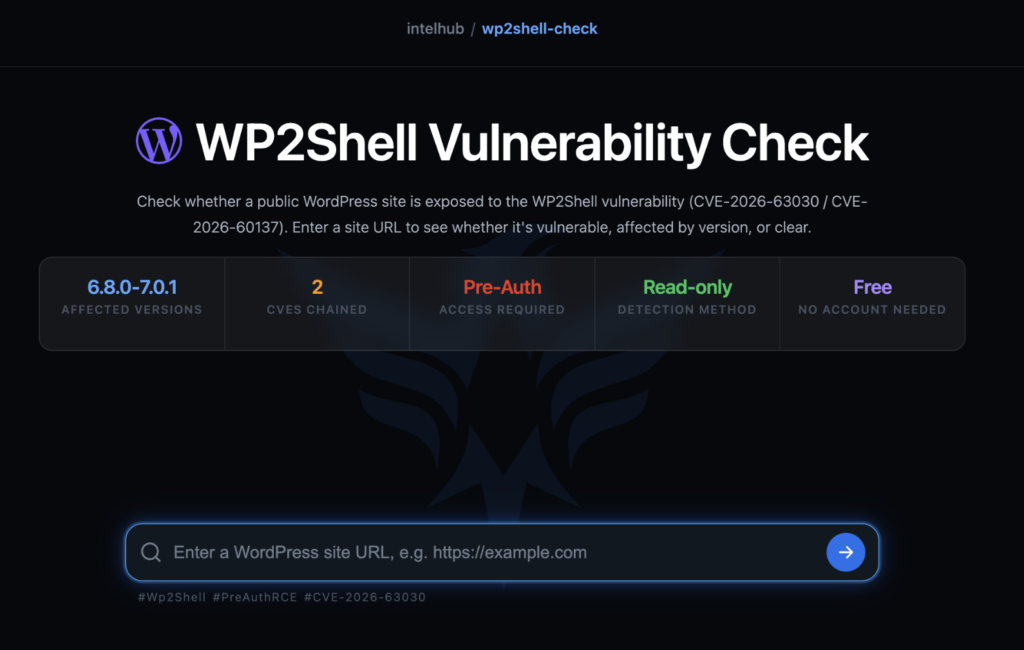
Reading about a vulnerability is one thing. Knowing whether your own environment is affected is another.
WP2Shell Vulnerability Check helps identify outdated WordPress installations and highlights known Core and plugin vulnerabilities, making it easier to prioritize remediation before attackers have the opportunity to do the same.

More posts



Share this article
Found it interesting? Don’t hesitate to share it to wow your friends or colleagues
Subscribe to our blog newsletter to follow the latest posts